Made for iPhone
Your AI running coach.
A running plan built around your goal, your schedule and where you are today. When life happens, Kiki adapts it, just like a real coach.

Free to download · For iPhone
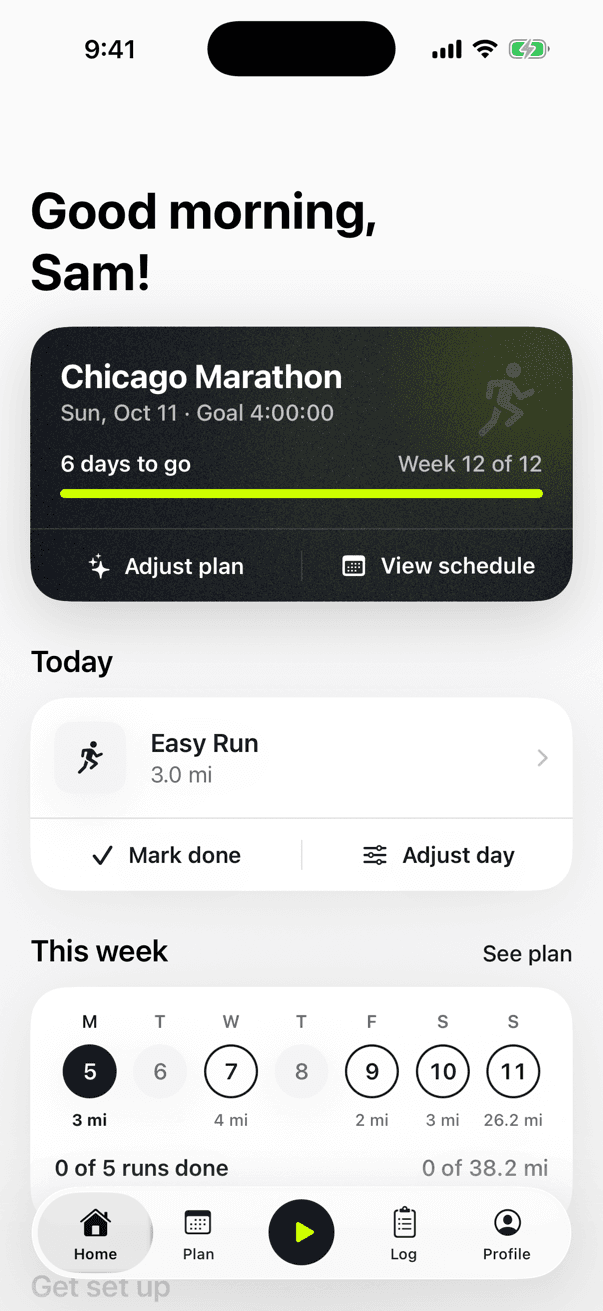
Whatever you're running toward
- Your first run
- First 5K
- 10K
- Half marathon
- Marathon
- A faster time
- Staying fit
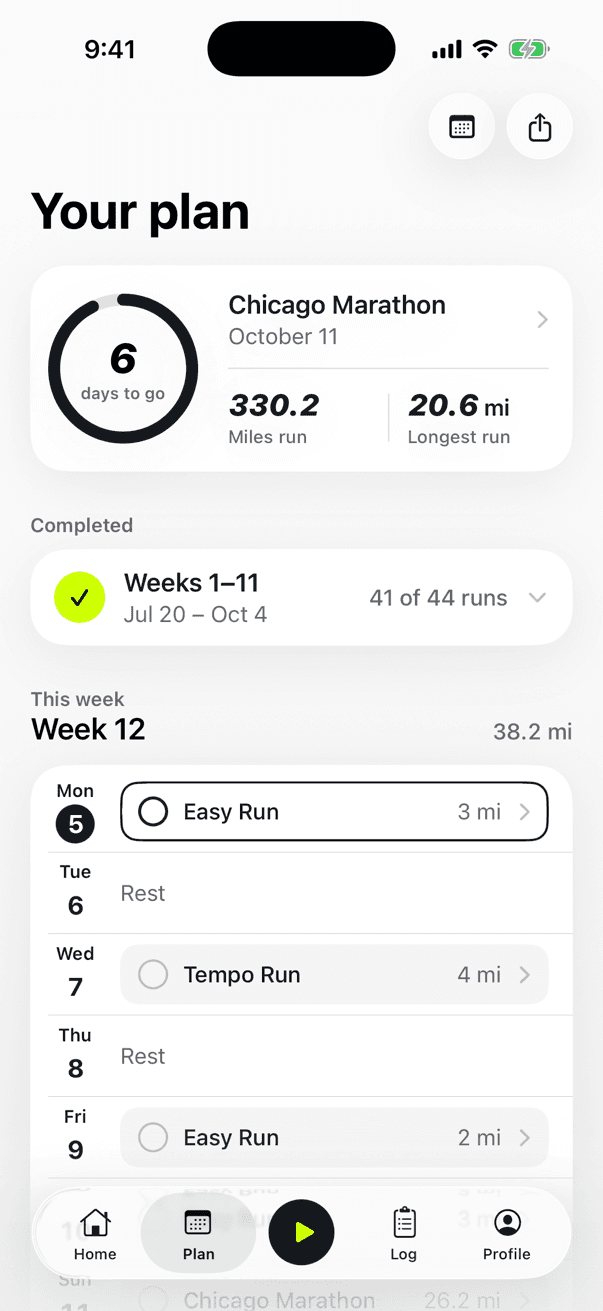
Your plan
A plan that's actually yours.
Not a template. Kiki starts from what you can run today and builds every week between now and your goal, on the days that suit you.
- Starts where you are, from your first run to your tenth marathon
- Only on the days you choose, with your long run where you want it
- Builds gradually, then eases off so you arrive fresh
- List or calendar view, and share your plan as a PDF
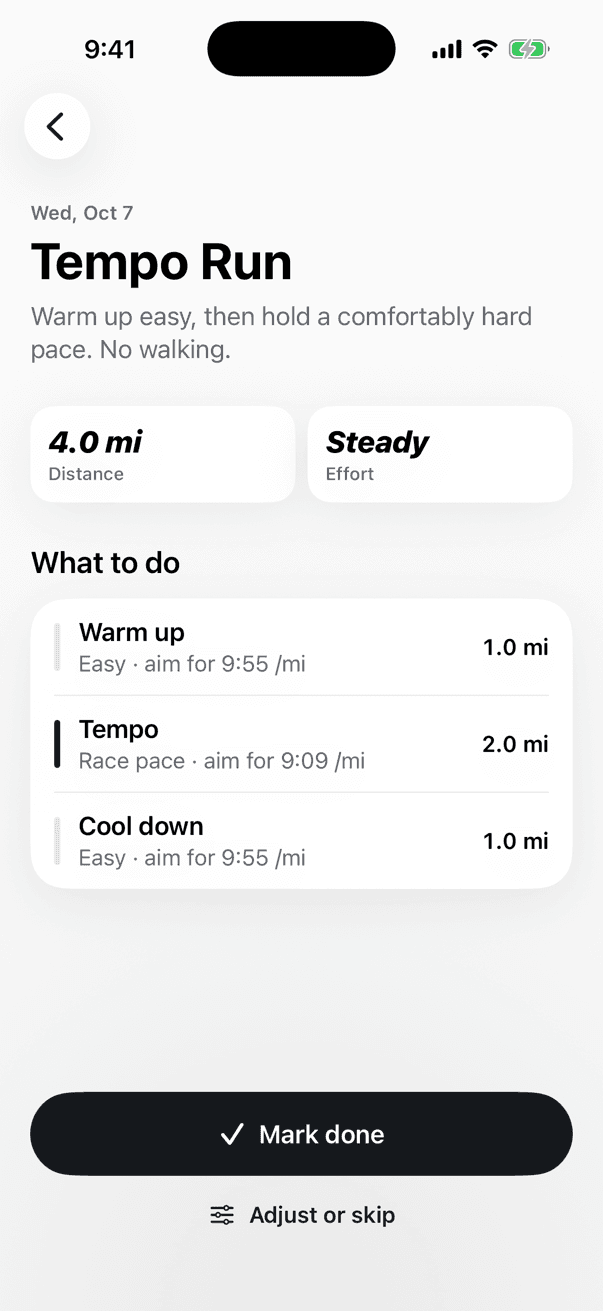
Every day
Know exactly what to run today.
Open Kiki and today's run is right there. Every workout spells out what to do, how far and one clear target pace. No jargon.
- Easy runs, long runs, tempo runs and intervals, matched to your level
- Step by step: warm up, the main set, cool down
- One target pace per effort, in miles or kilometers
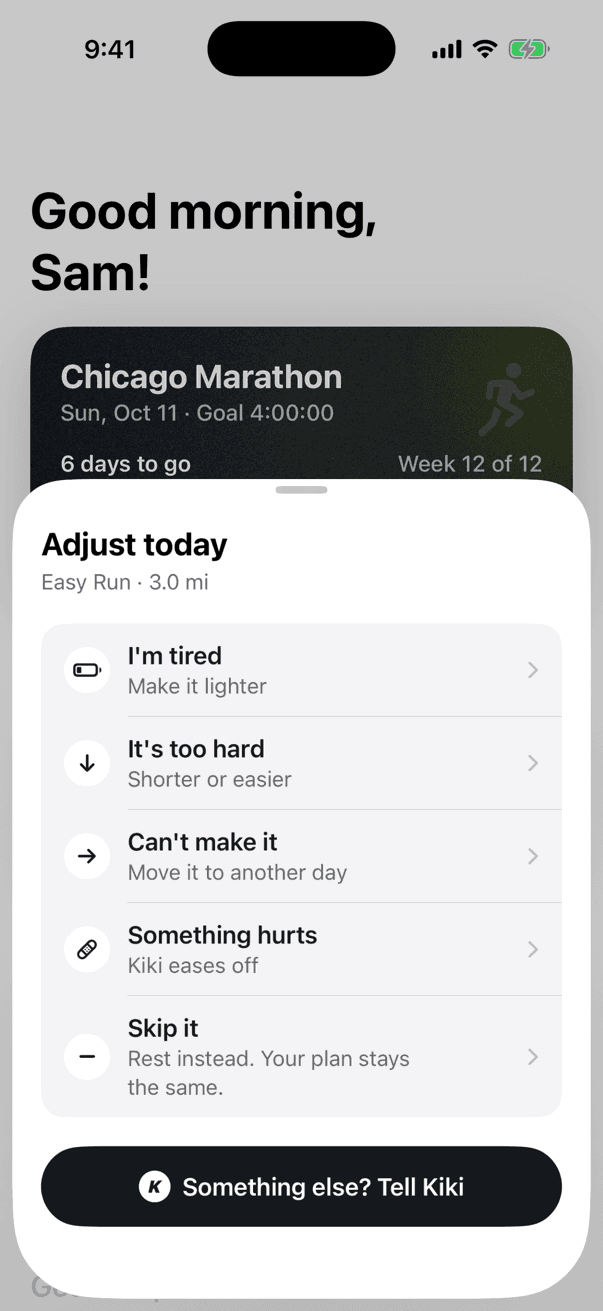
Adapts
Life happens. Kiki adapts.
Real training never goes exactly to plan. Tell Kiki what's going on and it makes small, targeted changes to the days ahead, then tells you why.
- Adjust a day: tired, too hard, can't make it, something hurts
- Adjust the plan: make it easier, push me harder, schedule changed
- Or tell Kiki in your own words
- Skip a run without derailing the rest of your plan
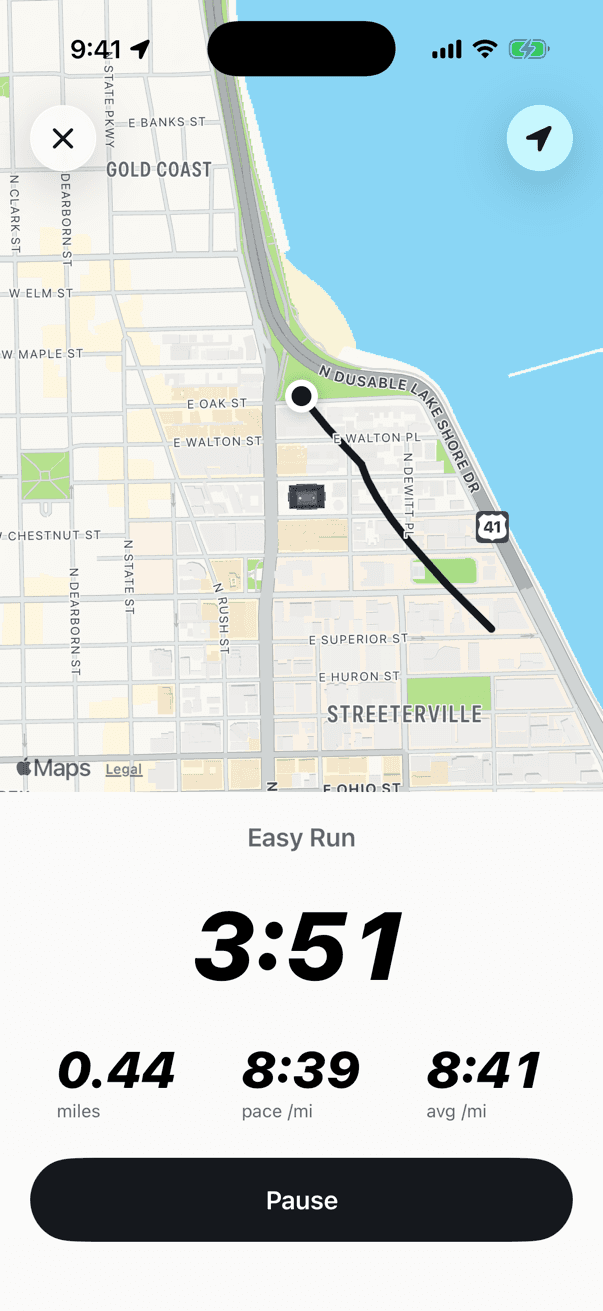
Run
Track it. Or just tap done.
Hit the play button to record your run with GPS: distance, pace and time, live on your Lock Screen. Already run with your Apple Watch, Strava or Garmin? Kiki picks it up from Apple Health.
- GPS tracking with a Live Activity and pause from your Lock Screen
- Syncs runs from Apple Health, Apple Watch and apps that save to Health
- Runs check off your plan automatically, without double counting
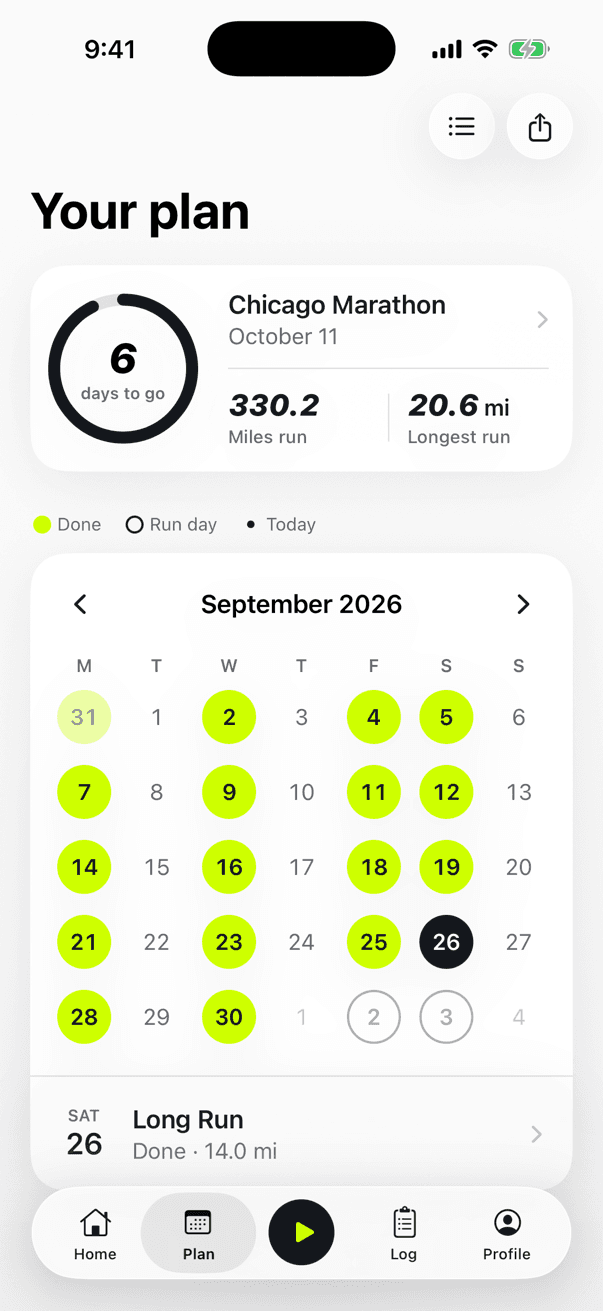
Progress
Watch the miles add up.
Every run you finish fills in your calendar. See how far you've come, your longest run and the days left until your goal.
- A calendar of every run, done and to come
- Your total distance and longest run so far
- A countdown to race day
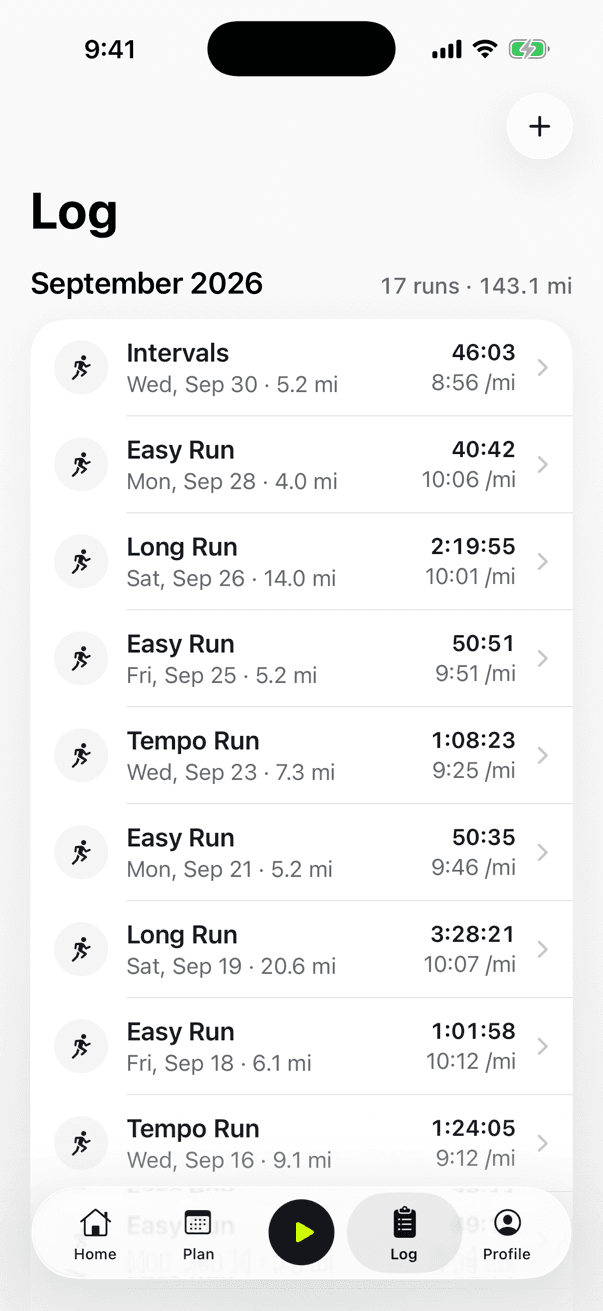
Your log
Every run, in one place.
Runs you track in Kiki, log by hand or sync from Apple Health all land in your log, by month. Tap any run to see it, edit it or delete it. It's your log.
- Tracked, logged or synced, each run shows where it came from
- One quick question after a run: how did it feel?
- Edit or delete any run, anytime
From first step to finish line.
- 1
Tell Kiki about you
Your goal, your race date, how much you run now and which days you're free. A couple of minutes, mostly taps.
- 2
Get your plan in seconds
Every day of your training, built around you. Easy runs, a weekly long run and, when you're ready, faster sessions.
- 3
Run. Kiki adapts.
Log runs or sync them from Apple Health. Tired, busy or sore? Tell Kiki and the next few days adjust.
Personal plans. Proven principles.
Every plan follows the fundamentals great coaches use, tuned to you. Safety first, always.
Mostly easy
Most runs are conversational, so you build fitness without burning out.
Built gradually
Small steps up each week, and lighter weeks to absorb the work.
Your level
Beginners get run/walk and easy miles. Tempo runs and intervals come when you're ready.
Arrive fresh
Your final weeks ease off so you start race day strong.
Free running guides.
All guides →Getting started · 6 min read
How to start running: a beginner's guide
How to start running from zero: run/walk intervals, how fast to go, how often to run, and how to build to 30 minutes without stopping.
Getting started · 5 min read
Couch to 5K: an 8-week plan for total beginners
A simple 8-week couch to 5K plan with run/walk intervals, three sessions a week. What to do each week, how fast to go, and what to do if a week feels too hard.
Race training · 6 min read
Half marathon training: a simple 12-week guide
How to train for a half marathon in 12 weeks: how many runs a week, how long your long run should get, what easy pace means, and how to taper before race day.
Questions
What is Kiki?
Kiki is an AI running coach for iPhone. It builds a personal running plan from your goal, your current fitness and your schedule, then adjusts it as you train, like a real coach would.
Who is Kiki for?
Anyone who wants to run: complete beginners building up to 30 minutes, runners training for a 5K, 10K, half marathon or marathon, and experienced runners chasing a faster time or simply staying consistent.
How does Kiki build my plan?
Kiki's coach starts from where you are today, including your weekly distance and longest recent run if you already run. It plans easy runs, a weekly long run and, for experienced runners, tempo runs and intervals, with lighter weeks before your goal. Every workout has one clear target pace.
Can I change my plan?
Anytime. Adjust a single day (tired, too hard, can't make it, something hurts) or the whole plan (make it easier, push me harder, my schedule changed), or just tell Kiki in your own words. Kiki makes targeted changes and tells you what changed.
Does Kiki work with Apple Watch, Strava or Garmin?
Kiki connects to Apple Health. Runs from Apple Watch, and from apps that save to Apple Health such as Strava and Garmin Connect, check off your planned runs automatically. You can also record runs with GPS in Kiki, with a Live Activity on your Lock Screen.
Is Kiki available on Android?
Not right now. Kiki is made for iPhone and available on the App Store.
Is Kiki medical advice?
No. Kiki is a training tool. If you have pain, an injury or a health condition, check with a qualified professional before training.
Your best run starts today.
Get your personal plan in a couple of minutes.
Free to download · For iPhone